

A Session That Ends in Production
Swipe through today's words, then finish with speaking, writing, and scenario dialogue. The session ends with you using the word, not just seeing it.
Active Vocabulary Coach
Build a vocabulary plan around your exam, interview, or real-life goal. Review every word in fresh contexts, then prove you can use it.
No download needed
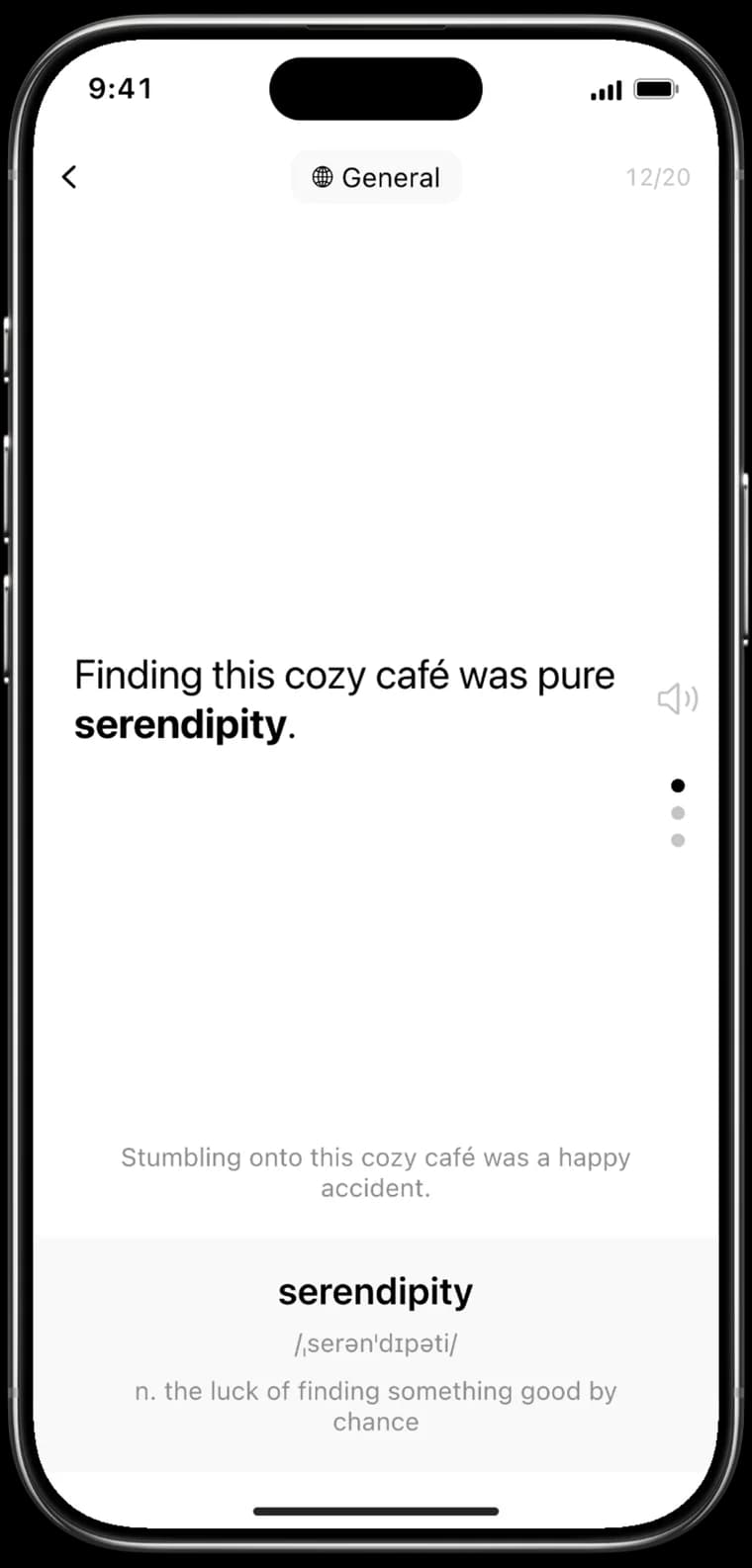
Swipe through today's words, then finish with speaking, writing, and scenario dialogue. The session ends with you using the word, not just seeing it.
Each word arrives inside a sentence written for your goal and your level, with translation and usage notes. That sentence is used once and never comes back.

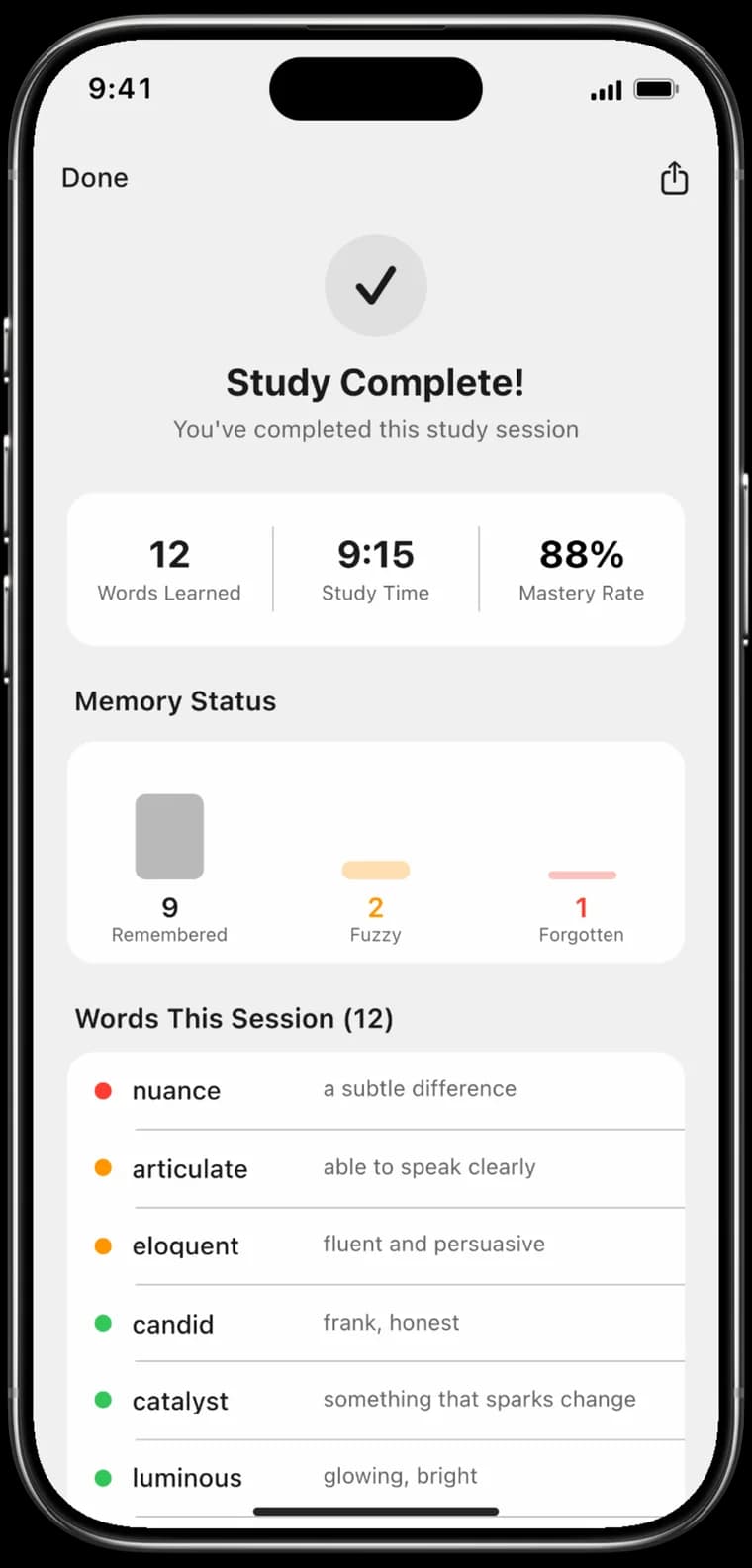
After each session, your words are woven into a coherent article so you see them in real-world context, not isolation.

You never have to plan a review. We measure how fast you forget each word and build the most efficient review plan for you.

Choose from 12 built-in goals like Business, Travel, IELTS, and TOEFL, or write your own. Your choice shapes every word and every sentence you see.

We keep track of all of it. How many days you showed up last week, how much you did today, how long you studied this week, plus a heatmap of every active day.

Today's word, daily progress, and learning streak. Right on your home screen without opening the app.

How it works
Three steps that carry a word from recognition to production.
Tell it what you are studying for: IELTS, TOEFL, a job interview, or daily life. The word list and every sentence are built for that goal, not pulled from a generic frequency list.
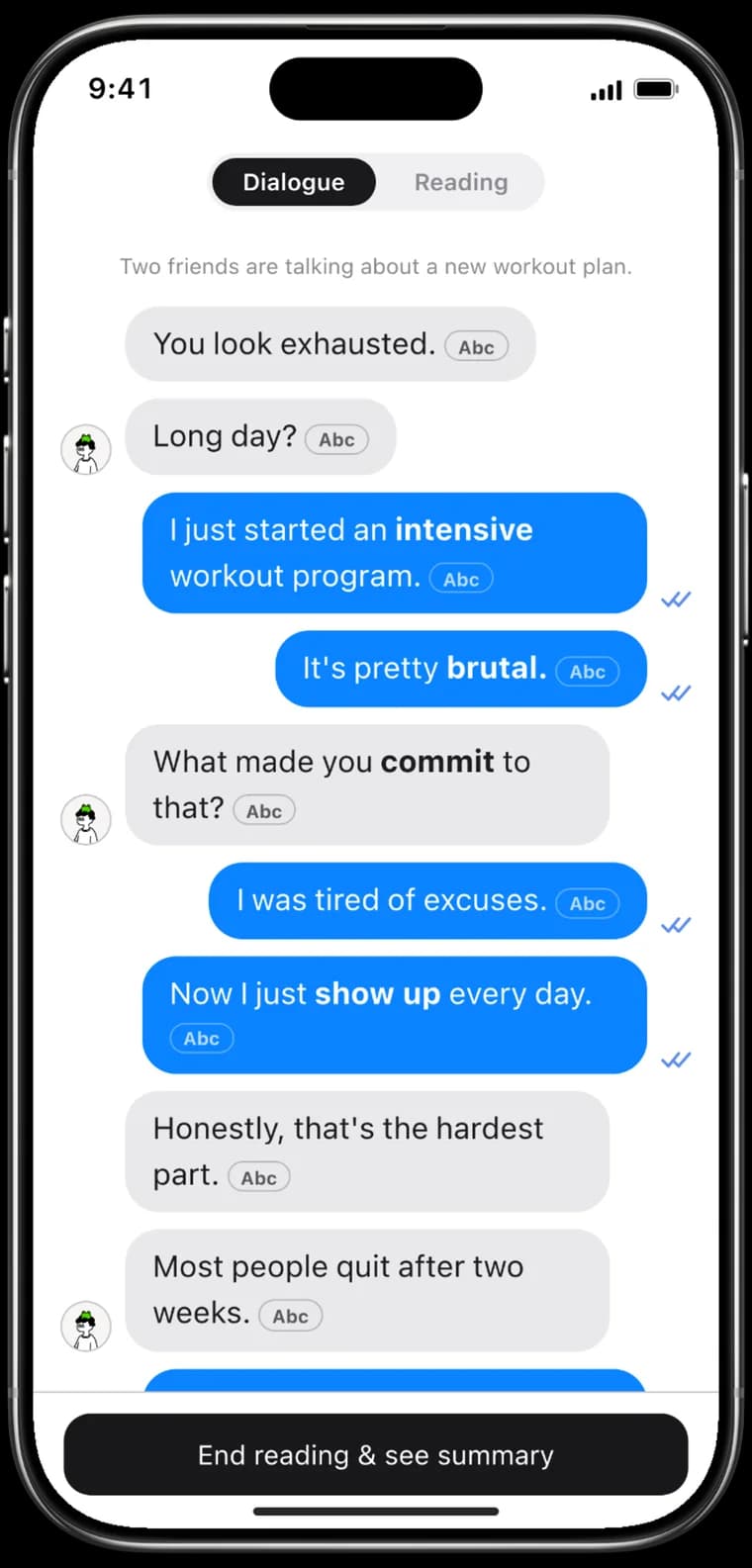
Conversations
After each session, Rhythm Word writes a natural conversation around the words you just learned. Target words stand out in bold, and a translation or definition is one tap away.
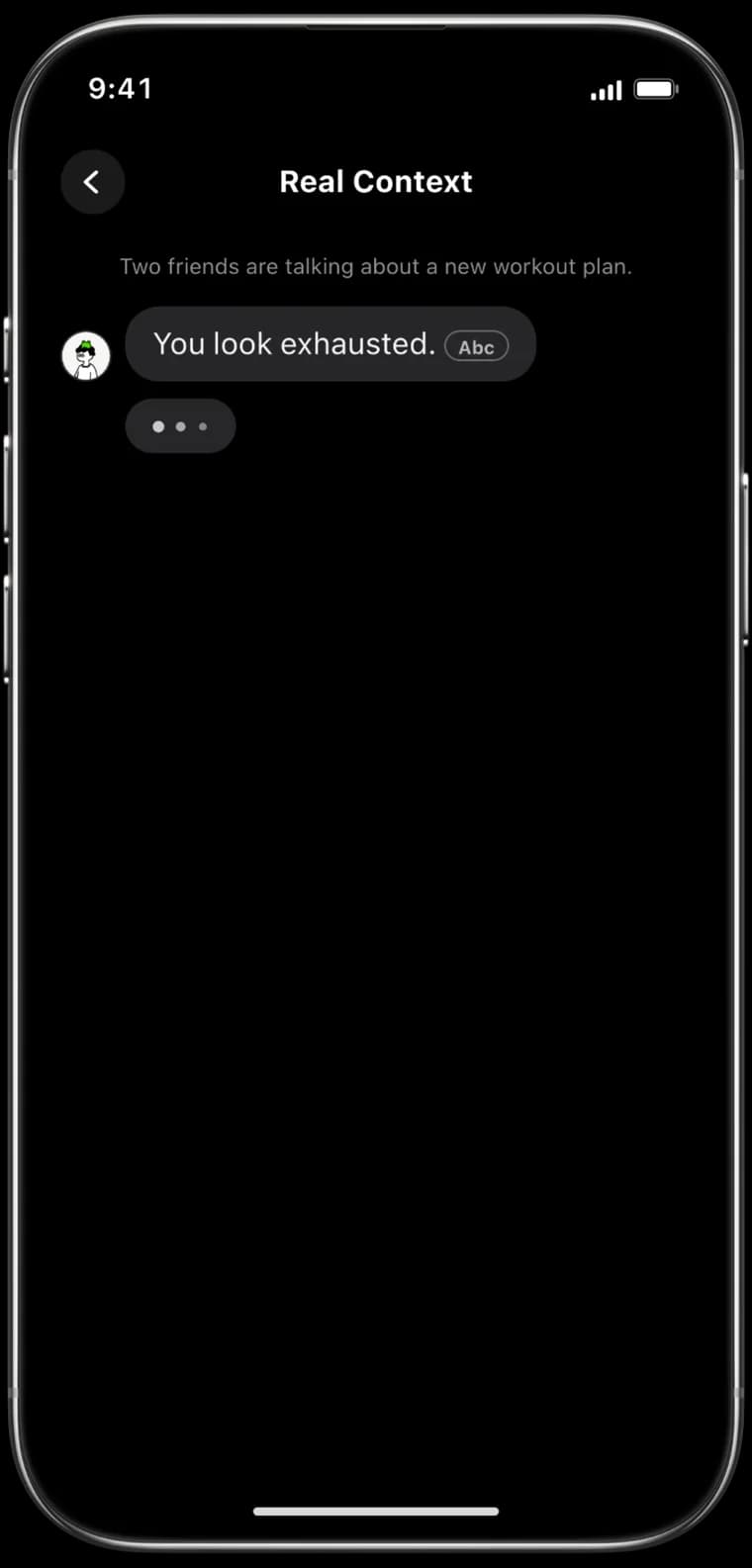
Written on the spot, around the words you just learned.
Compare
Most vocabulary apps train recognition. Rhythm Word carries the word through to production.
| Rhythm Word | Anki | Duolingo | Quizlet | |
|---|---|---|---|---|
| Words shown in real sentences | Yes | No | Yes | No |
| A new sentence every review | Yes | No | No | No |
| FSRS spaced repetition | Yes | Yes | No | No |
| Plan built around your goal | Yes | No | No | No |
| Session recap article | Yes | No | No | No |
| Chrome extension | Yes | Yes | No | No |
| Free to start | Yes | Yes | Yes | Yes |

Pick your goal, study one set, and finish by using the words yourself. Learning words is free with no limit, and a subscription unlocks the advanced features.
No download needed
Have a question? Here are answers to the most commonly asked questions.
Flashcards stop at recognition. Rhythm Word opens every review with a fresh sentence in real context, then ends the session by asking you to produce the word in speaking, writing, or scenario dialogue.
Passive vocabulary is what you recognize when you read or hear it. Active vocabulary is what comes out when you speak or write. Most study methods only grow the first one. Rhythm Word is built to move words from the first into the second.
The algorithm predicts where you sit on the Ebbinghaus forgetting curve and surfaces a word just before it would fade, spacing reviews farther apart as mastery grows. This maximizes memory while minimizing study time.
Yes. The sentences draw from real-world sources like Twitter and Reddit so you meet the acronyms, memes, and cultural references people use today.
Absolutely. The system continuously gauges your performance and rewrites future sentences inside your personal growth zone, just as adaptive-learning research recommends.
All learning data are encrypted at rest, never sold, and processed under GDPR-aligned policies. Your progress stays yours.
Yes. You can learn words for free with no cap on how many you study and no countdown to a locked screen. A subscription unlocks the advanced features, and some features have usage limits on a free account.
Every platform is covered: iOS on the App Store, Android on Google Play, and a web app that runs in any browser. Your progress stays in sync across all of them.
Rhythm Word is an active vocabulary trainer. It builds a word plan around the goal you name, whether that is IELTS, TOEFL, an English job interview, or the language you need in daily life. Every review puts the word in a context you have not seen before, so you read the meaning instead of recognizing a card. Each session then ends in production: speaking, writing, and scenario dialogue ask you to use the word yourself. Recognition is where most vocabulary apps stop; it is the halfway point here. Review timing is handled by the FSRS-4.5 spaced repetition algorithm with a 90% target recall rate, so words come back just before they would fade.
Swipe vertically to move between words and horizontally to switch between sentence, translation, and explanation, then finish the session with speaking, writing, and scenario dialogue. The gesture-based study loop is the input half; the production checks are the half that decides whether the word is really yours. A session is not complete until you have used the word, not merely seen it.
Every word is embedded in sentences tailored to your scenario, with bilingual translations and usage explanations. Each sentence is created specifically for you and used exactly once. When you review a word tomorrow, you will see a completely new sentence in a fresh context, forcing genuine comprehension rather than pattern matching.
After each session, your words are woven into a coherent article so you see them in real-world context, not isolation. This approach reinforces vocabulary through narrative comprehension, helping you understand how words naturally connect and flow together in authentic writing.
Powered by the FSRS-4.5 algorithm with 90% target recall. Optimal review times are scheduled automatically based on the Ebbinghaus forgetting curve. The algorithm predicts where you sit on the forgetting curve and surfaces a word just before it would fade, spacing reviews farther apart as mastery grows. This maximizes memory retention while minimizing study time.
Choose from 12 built-in scenarios like Business, Travel, IELTS, TOEFL, Academic, and Daily Life, or create your own to shape every sentence. Within each scenario, Rhythm Word prioritizes the collocations and usage patterns that matter most, so you learn how words actually behave in the contexts where you need them.
GitHub-style contribution heatmap, memory retention curves, review forecasts, and detailed daily analytics. Track your learning streak, review accuracy, and vocabulary growth over time with comprehensive visual dashboards that motivate consistent study habits.
Today's word, daily progress, and learning streak. Right on your home screen without opening the app. The home-screen widget keeps your vocabulary learning visible and accessible, encouraging daily engagement with minimal friction.
Rhythm Word supports vocabulary learning across multiple languages including English, Spanish, French, Chinese, Japanese, and Korean. Each language comes with culturally relevant scenarios and sentences that reflect natural usage patterns in that language.
Every word you study is eventually put to a production test. Speaking checks ask you to say the word in a sentence of your own. Writing checks ask you to type it into a context that fits. Scenario dialogue drops you into a conversation from your chosen goal, an IELTS interview or a business meeting, and requires the word to appear naturally in your reply. These checks are what separate active vocabulary, the words you can produce, from passive vocabulary, the words you merely recognize.
Flashcards stop at recognition. Rhythm Word opens every review with a fresh sentence in real context, then ends the session by asking you to produce the word in speaking, writing, or scenario dialogue. Traditional flashcard apps show the same static card repeatedly and never test whether you can use the word; here, every encounter is unique and every session ends in production.
Passive vocabulary is what you recognize when you read or hear it. Active vocabulary is what comes out when you speak or write. Most study methods, flashcards included, only grow the passive side, which is why learners with large word lists still freeze in an interview or a writing task. Rhythm Word is built to move words across that line, from recognition into production.
The algorithm predicts where you sit on the Ebbinghaus forgetting curve and surfaces a word just before it would fade, spacing reviews farther apart as mastery grows. This maximizes memory while minimizing study time. Rhythm Word uses the FSRS-4.5 algorithm, a modern research-backed approach to scheduling reviews at the optimal moment.
Yes. The sentences draw from real-world sources like Twitter and Reddit so you meet the acronyms, memes, and cultural references people use today. The sentences reflect authentic, contemporary language use rather than textbook examples.
Absolutely. The system continuously gauges your performance and rewrites future sentences inside your personal growth zone, just as adaptive-learning research recommends. As you improve, the sentences become more sophisticated and closer to the language real people actually use.
All learning data are encrypted at rest, never sold, and processed under GDPR-aligned policies. Your progress stays yours. We take privacy seriously and do not share your personal information with third parties.
Yes. Learning words is free, with no cap on how many words you study and no trial clock that locks the app after a set number of days. Every free account keeps working for as long as you want to use it. A subscription unlocks the advanced features, and some of what a free account can do carries a usage limit. Which features require a subscription is shown inside the app.
Every platform is covered: iOS on the App Store, Android on Google Play, and a web app that runs in any browser. Your progress stays in sync across all of them.


